Syntax and static rules
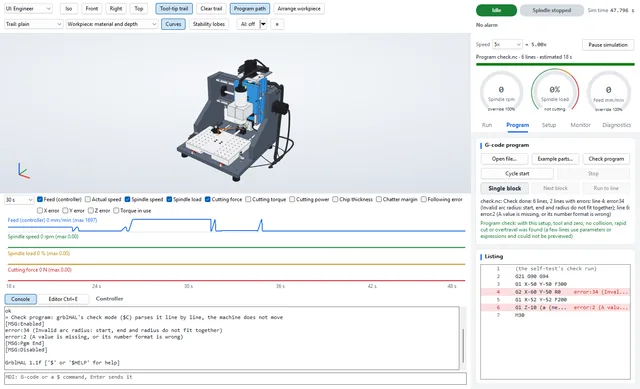
grblHAL check mode, line by line, plus twelve rules for what it accepts but should not
Every alarm, every error code, every millisecond of a feed hold behaves the way it will on the MC-1, because it is the same code. Around it, Studio simulates the machine: motors, spindle, cutting, switches and wiring.
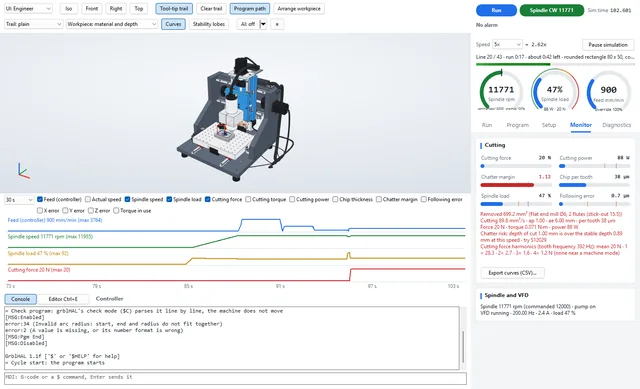
Studio compiles the grblHAL core unmodified and runs it on a deterministic virtual clock. The planner, the step generator, homing, probing and every error path are the firmware’s own. A run replays bit for bit, on Windows or Linux.
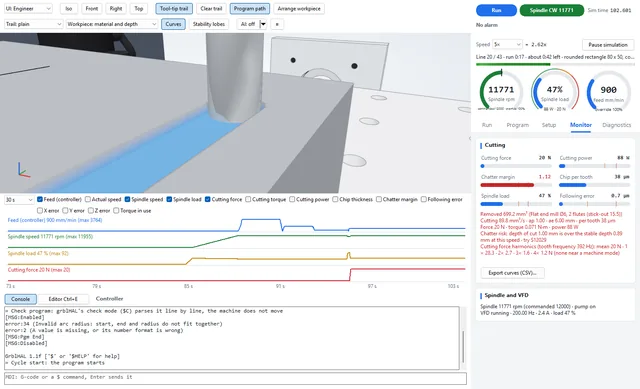
The workpiece is a height map with a top and a bottom for every cell, so slots, pockets and undercuts come out as they would. Colour it by deviation from your CAD, by feed, force, chip thickness or chatter margin — click any spot to jump to the line that cut it.
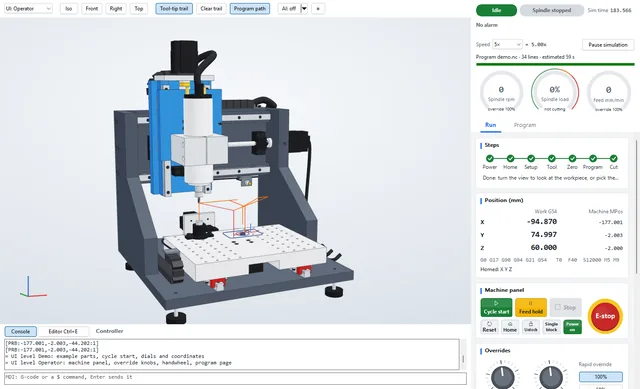
Cycle start, feed hold, overrides and a handwheel, a tool-setter macro that measures tool length, edge-finder probing and single-block stepping. The interface grows with you: five levels from Demo to Researcher show only what that level needs.
Break a limit-switch wire, make a sensor glitch, trip a drive alarm, press E-stop mid-cut or pull the mains plug. Studio reproduces how grblHAL and the electrics of the MC-1 react, including the ones that are silent and dangerous — and shows the recovery.
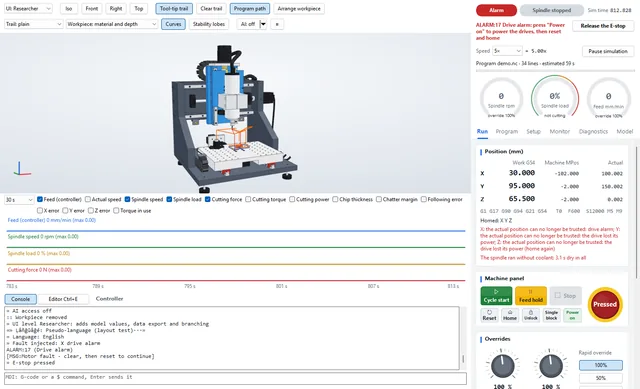
Studio is also where programs are written, debugged and made faster — by you or by an AI assistant working on a twin.
Per-line times, twelve static rules, breakpoints on force or chatter, restart from any line, versions, an optimizer and a feature-based generator.
Programming →MCP server · assistant · audit logOne click connects Claude, ChatGPT, Cursor, VS Code or LM Studio; or chat in Studio with your own key. Every call is in a hash-chained log.
AI & MCP →A Studio run is an audit of your program on this machine.
grblHAL check mode, line by line, plus twelve rules for what it accepts but should not
G0 moves that would cut, found by look-ahead
cutting with the spindle stopped or still ramping up
tool, shank and holder against vise, clamps, table and tool setter
moves outside the travel, before they raise an alarm
stability margin for every cut, with a better spindle speed
spindle load, VFD current and drive torque against their limits
the finished workpiece against your STL, cell by cell
| Demo | Load an example, press cycle start, watch. Gauges and coordinates only. |
| Operator | The machine panel: overrides, handwheel, jogging, the program page. |
| Technician | Workholding, tool setting, probing, diagnostics and fault injection. |
| Engineer | Curves, cut analysis, chatter margin, drive and spindle detail. |
| Researcher | Model parameters and their sources, data export, recordings and branching. |
A lockstep API gives programs full control of virtual time; a standard-library Python package wraps it. Record any session and play it back on a timeline, open it in Foxglove or PlotJuggler (MCAP) or GTKWave (step pulses as VCD), or branch a new run from any moment of an old one.
from mc1twin import Twin

with Twin(drive="L1") as t:                # the MC-1 with closed-loop drives
    t.home()
    t.setup(shape="block", size=[60, 40, 10], material="6061-T6",
            fixture="vise", at=[100, 75])
    t.tool("flat 6 n3 L20")
    t.job(open("bracket.nc").read(), start=True)
    t.until("job", timeout=900)             # virtual seconds, runs far faster
    print(t.compare(0.02))                 # deviation from the design part
    print(t.summary()["hash"]["all"])       # identical on every machine
The preview is free, with every feature. We earn our living from the MC-1, accessories, training and support; the terms of Studio 1.0 will be published before it is released.
No. Studio is a complete simulator on its own. Most people will only ever use the twin.
The firmware is identical by construction. The mechanics, spindle and cutting models use design data and published values today; each will be calibrated against measurements on the prototype machines, and every production MC-1 ships with its own measured twin profile.
Yes. Use a post-processor for grbl or grblHAL; Studio reads plain G-code files. Its check names every line this controller would refuse, for example cutter compensation (G41/G42), subprograms or expressions.
Yes. Studio has an MCP server built in: switch AI on and connect Claude, ChatGPT, Cursor, VS Code or a local model with one click — see AI & MCP. The AI works on twins, never on a real machine.
Not yet. Twins of other grblHAL machines are on the roadmap; tell us which machine you have.